Add a new composite task
Add a new empty composite task
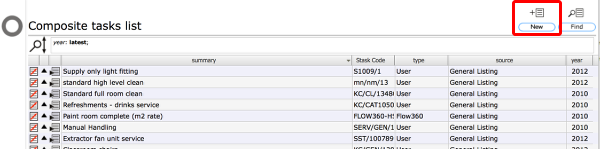
To create a new empty composite task that you are going to add some already defined components to, start by clicking the New button on the Composite tasks list.
The new composite task card
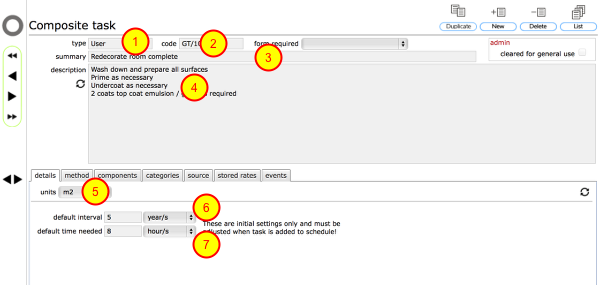
The task type will be preset to 'User' (1). You can add your own composite task code (2), a summary (3) and a description (4) - the description can also be built up automatically from the component elements once they have been defined.
You should also enter the unit of measure to be used when costing the task (5) and the default standard repeat interval (6) and task duration (7).
For this example we are creating a standard daily cleaning regime for a room or area and we have set the default interval is 1 day and the default duration is 1 hour.
Go to the components list
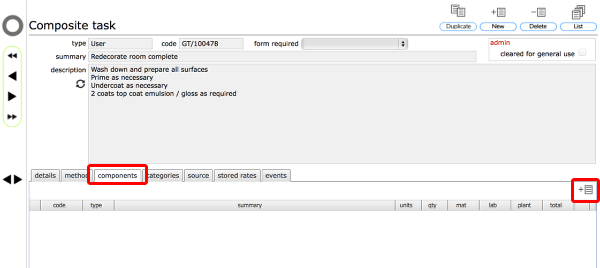
To add already defined components (either your own previously defined components or standard components) to your new composite task, start by clicking the New button at the top of the components tab list.
Select components to add
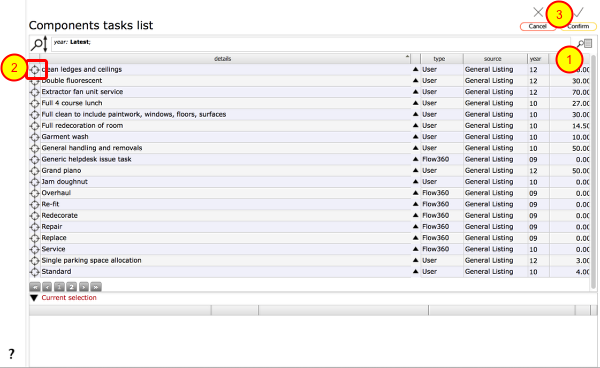
From the full list of components, select the individual components that you want to add to your composite task. Use the filters to find the components you require (1).
Select components by clicking the target button on the relevant row (2). Selected components will be added to the Current selection list at the bottom of the screen.
Click the Confirm (3) button to add the components to your composite task.
Components added to composite task
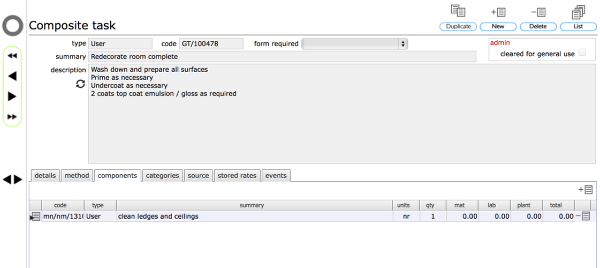
The selected components will be added to the composite task in the components tab list.